HDTV
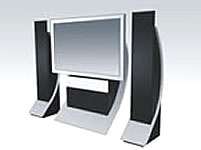 HDTV inherently provides a superior sound quality simply because the sound of HDTV is digitally transmitted. The difference in sound between an HDTV television and an analog television is rather noticeable. In fact, it is directly analogous to the difference between the music on CD's compared to the music on audiocassette tapes. HDTV inherently provides a superior sound quality simply because the sound of HDTV is digitally transmitted. The difference in sound between an HDTV television and an analog television is rather noticeable. In fact, it is directly analogous to the difference between the music on CD's compared to the music on audiocassette tapes.
The difference in sound quality provided by HDTV televisions and programming does not end there. Many HDTV programs are also broadcast in Dolby Digital 5.1 surround sound, but in order to take full advantage of this technology, it is necessary to have the right equipment.
Dolby technology has been created by Dolby Laboratories, Inc. This technology is the most renowned provider of digital audio technology. Also, Dolby Laboratories is known for reliable and superior products. For these reasons, Dolby Digital Surround has become the standard for HDTV. Many television manufacturers substitute their own surround sound systems, but they cannot live up to the reputation and performance of Dolby. Therefore, it important to check the specs on an HDTV television before buying in order to ensure that it uses Dolby Digital Surround.
When using Dolby Digital Surround Sound, there are three options for set up. The first option is to buy a television with high quality center channel speakers, woofers, tweeters, and Dolby technology installed in the television. With this option, it is unnecessary to buy addition equipment to take advantage of Dolby Digital Surround Sound.
Another option for taking advantage of the Dolby Digital Surround Sound with an HDTV is to connect an external set of surround speakers to the television. With this option, the surround sound set up includes a front pair of speakers, a surround pair of speakers, a center channel, and a subwoofer. Sometimes, the front speakers are "powered towers." This means these towers include subwoofers.
The placement of these speakers is very important for the quality of the surround sound. The Centre Channel Speaker should be centered either above or below the television. The Front Left and Right Speakers should be placed in an arc formation in line with the Center Channel Speaker. The Surround Left and Right Speakers, on the other hand, should be placed to the left and right sides behind the listening position. Many people choose to wall mount these speakers.
The third option for taking advantage of the Dolby Digital Surround System included in an HDTV television is to use an external set of front speakers can be connected to the HDTV television. This configuration is useful if there is not enough room to set up the external surround sound system and the HDTV does not come with Dolby Digital Surround installed. This isn't true surround sound, but it is a viable alternative to those who can't take advantage of the first two formats.
The audio and video outputs of the DVD or VCR can be connected to the AV receiver's video outputs. If a separate DVD and VCR need to be connected, one can be connected to the VCR1 connection and the other can be connected to the VCR2 connection. The AV receiver's VCR video and audio outputs should then be connected to the audio and video inputs of the DVD and/or VCR. In this way, the DVD and/or VCR will be able to record video signals that come through the AV receiver and the VHS tapes and/or DVD's will be able to be viewed on the HDTV.
To take full advantage of the Dolby Digital Surround Sound technology, one of the video outputs of the DVD player and/or VCR needs to be connected to the AV receiver. The digital coaxial audio or digital optical connection must also be connected to the AV receiver.
How do I connect my CD player?
A CD player can be connected to an AV receiver. The CD player's digital audio outputs can be used to connect the CD player to the AV receiver. A CD-Recorder can also be connected the AV receiver by using the Audio Tape Record/Playback input/output loop connections. In this way, the CD-Recorder will be able to function much like a standard audiocassette deck.
What else will I need?
Besides the basic electronic equipment needed to set up Dolby Digital Surround Sound, it is necessary to have connection cables. This includes video, audio, and loudspeaker connection cables. These cables need to be at an appropriate length in order to set the speakers in the proper position for optimal surround sound quality.
Article Written by Gregg Hall
|
